No upload needed
Captions and buttons while you watch
The username, description, and buttons are drawn by the app. Long-press the video and choose Clear display to hide them.
TIKTOK TEXT CLEANUP
Upload your own vertical clip to remove text from TikTok video frames, then check a free 30-second preview before you pay.
First 10 seconds freeVertical 9:16 worksYour own videos only
THREE KINDS OF TIKTOK TEXT
“How do you get rid of the text at the bottom of TikTok videos?” Often you do not need an editor. Only one of these cases needs a tool to remove text from TikTok video files.
No upload needed
The username, description, and buttons are drawn by the app. Long-press the video and choose Clear display to hide them.
Fix it in TikTok
Editor text stays editable until you post. Open the draft, tap the text, and drag it to the trash.
Use this tool
After export, hook text and auto captions are part of every frame. Upload the file to remove text from TikTok video pixels here.
A REAL VERTICAL TEST
We built a 9:16 clip with a boxed hook line and a bottom caption, then used the upload box above to remove text from TikTok video frames automatically.
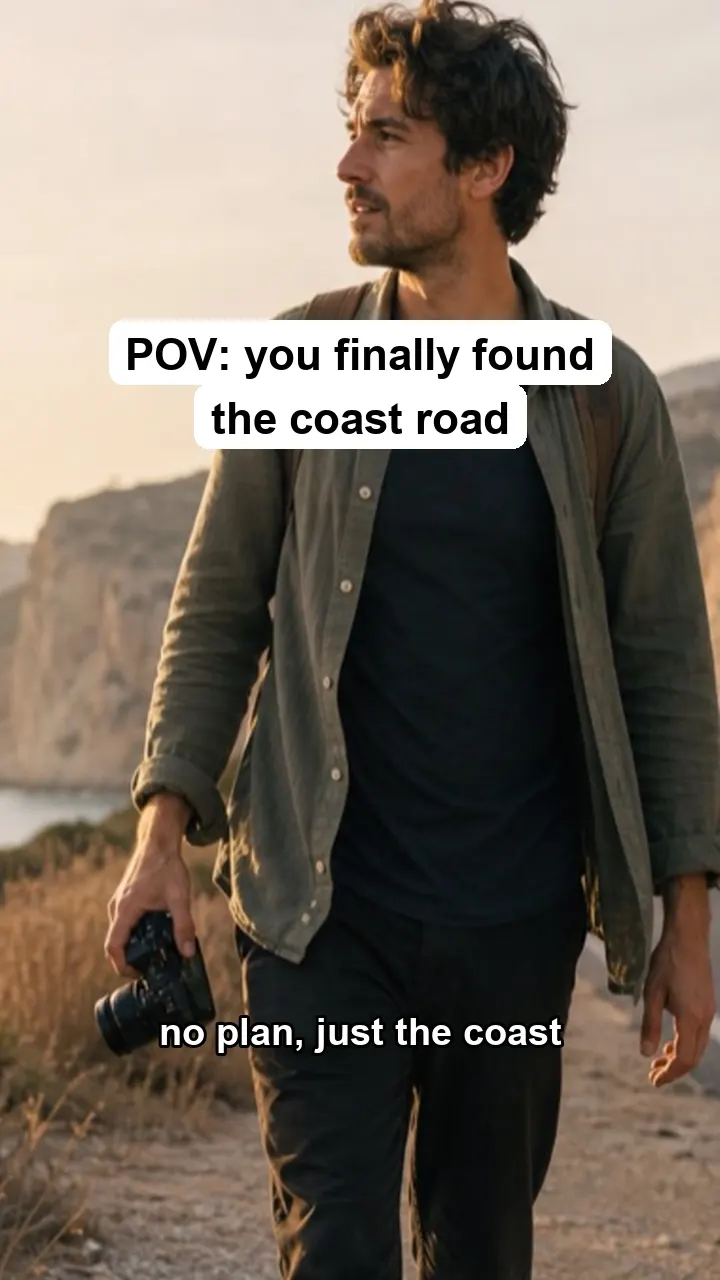
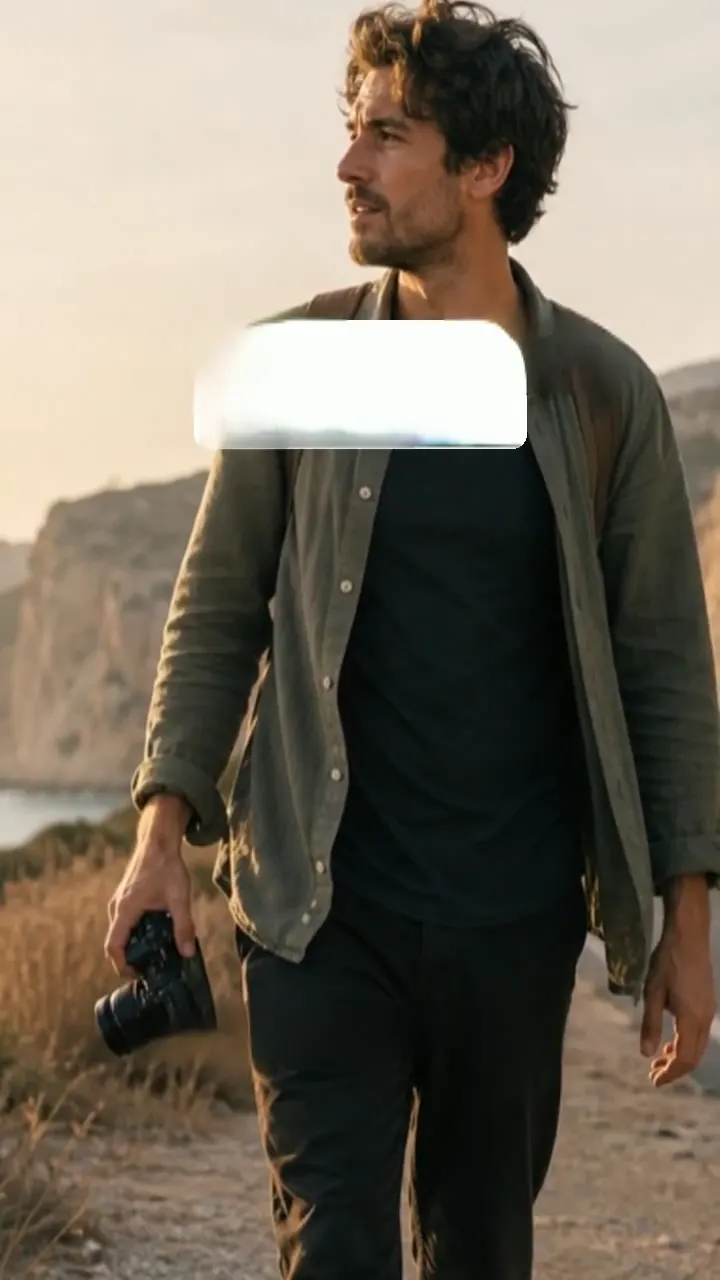
Tested by the Remove Text From Video team · Last updated November 14, 2026
FROM CAMERA ROLL TO REPOST
Use the clip from your camera roll or the export you made before posting, not a downloaded copy.
Vertical MP4 or MOV up to 3 minutes and 500 MB. We remove text from TikTok video previews free for the first 10 seconds, no sign-up needed.
One credit per second removes text from TikTok video files in full. Download the MP4 with its original sound and add new text.
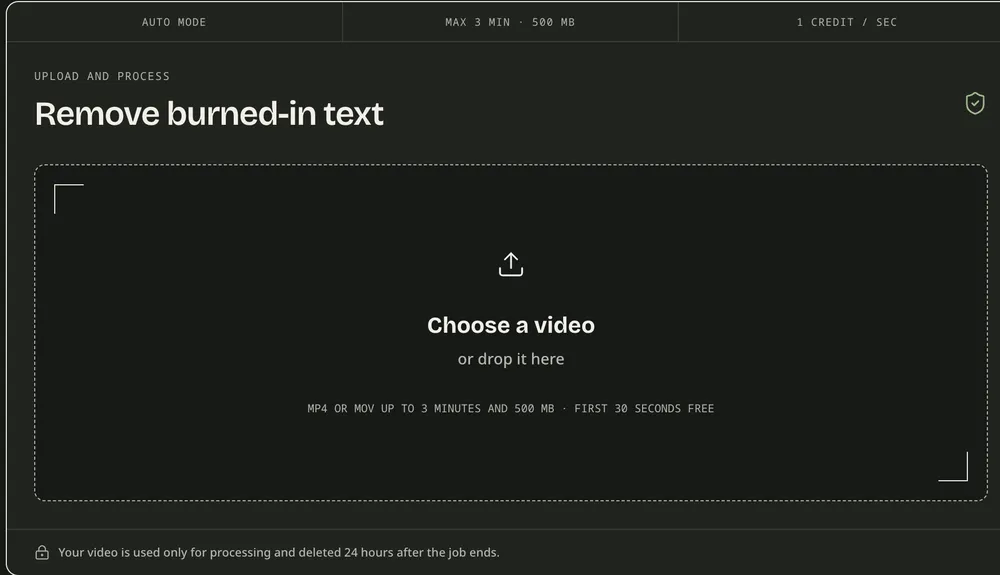
The upload box works on a phone, so you can remove text from TikTok video clips straight from your camera roll and come back to the job later from your dashboard. There is nothing to install: it is an app to remove text from video that runs in your phone browser.
WHAT COMES OFF AND WHAT STAYS
How well you can remove text from TikTok video clips depends on the text style and what sits behind it.
Words only
In our test the words went but the white box stayed as a pale patch. Export without the hook if you can.
Removed
White words with a dark edge, the look of most auto captions. Both of ours came off cleanly, outline included.
Check closely
When you remove text from TikTok video frames over the creator, the rebuilt patch can look softer than the rest.
Not removed
We do not strip platform watermarks or someone else’s handle. Start from your own original file.
Landscape footage with classic subtitles? Read how to remove subtitles from video.
Posting the same clip as a Reel? See how to remove text from Instagram video styles like Neon and Typewriter.
Swapping in translated captions? See how to remove captions from video.
Titles, dates, and logos too? Use the main remove text from video tool.
BEFORE YOU UPLOAD
Remove text from TikTok video clips you made or may edit. Someone else’s video without text is still their video.
Clips uploaded to remove text from TikTok video frames are used only for that job and deleted 24 hours after it ends.
The free preview has no watermark. It is a short 480p clip that plays on the page and cannot be downloaded.
A 45-second TikTok needs 45 credits, and you see the total first. Failed jobs release their credits.
TIKTOK QUESTIONS
TikTok does not let you edit text after posting. Upload your original from the camera roll and we remove text from TikTok video frames automatically. Then post the clean version or add new text.
You can try it free. Upload the clip, and the first 10 seconds come back as a 480p preview with no watermark. Most hook text appears in that window. The full clip costs 1 credit per second.
On a draft, turn auto captions off in the TikTok editor. Once they are burned into a saved video, this works as a TikTok caption remover and fills in the picture behind each line.
Only with the creator’s permission. Downloads also carry the TikTok logo and username, which we do not remove. To remove text from TikTok video you made, use the original file from your phone.
The picture outside the text is kept apart from a fresh H.264 export, and the sound is copied. When you remove text from TikTok video over a face, check that area in the preview.
Up to 3 minutes and 500 MB, as MP4 or MOV. A 45-second clip uses 45 credits, shown before you confirm, whenever you remove text from TikTok video in full.
TEST YOUR OWN CLIP
Upload the original clip and remove text from TikTok video previews for the first 10 seconds free, then judge it on your own footage.