Cleanest
White text with a dark outline
The classic look, and the easiest way to remove subtitles from video. Our test lines came off in every frame we checked.
HARDCODED SUBTITLE CLEANUP
Upload a clip you own to remove subtitles from video frames, then watch a free 30-second preview before you pay anything.
First 10 seconds freeMP4 or MOV, up to 3 minDeleted after 24 hours
ONE TEST CLIP, BEFORE AND AFTER
We ran a clip with three burned-in subtitle lines through the same automatic process as the upload box above, to see if it can remove subtitles from video without a smear.
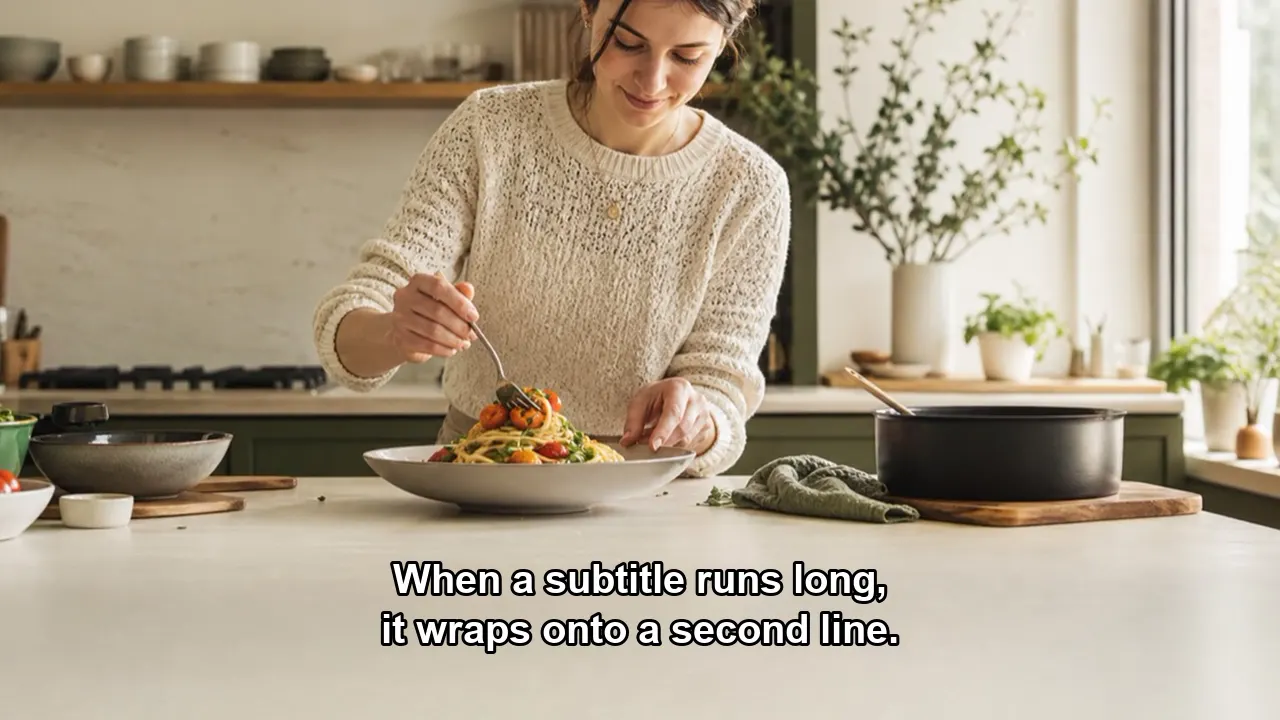

Tested by the Remove Text From Video team · Last updated November 14, 2026
CHECK THIS FIRST
Many people who want to remove subtitles from video do not need AI. Soft subtitles simply switch off; only hardcoded ones need a tool that can remove subtitles from video pixels.
| Question | Soft subtitles | Hardcoded subtitles |
|---|---|---|
| Where the words live | A separate SRT, VTT, or embedded subtitle track. | Painted into the pixels of every frame. |
| Ten-second check | Turn CC off in the player. The words disappear. | The words stay, whatever the player does. |
| Fastest fix | Disable the track or export without it. | Rebuild the background, crop, or cover. |
| Use this tool? | No. You do not need AI to remove subtitles from video tracks. | Yes. Upload it and remove subtitles from video pixels here. |
In FFmpeg, the -sn subtitle option drops a soft track. To compare cropping and covering too, read how to remove text from video.
UPLOAD, PREVIEW, PAY
Choose an MP4 or MOV up to 3 minutes and 500 MB and confirm you have the rights to edit it.
Upload a clip and the first 10 seconds are processed free, so you see how well we remove subtitles from video on your own footage.
One credit per second removes subtitles from the whole clip. Download the MP4 with its original audio.
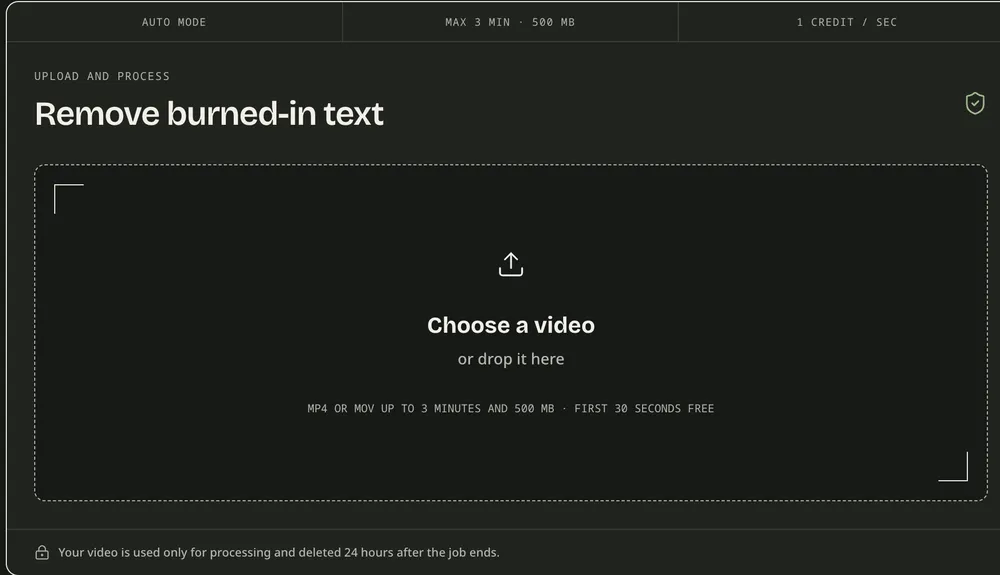
This video subtitle remover has no timeline and no brush. Pick a file, confirm your rights, and play the preview before you remove subtitles from video in full. You can leave and return to the job from your dashboard.
WHAT TO EXPECT
How well you can remove subtitles from video depends on the subtitle style and what sits behind it.
Cleanest
The classic look, and the easiest way to remove subtitles from video. Our test lines came off in every frame we checked.
Check closely
The words come off, but a solid box can stay behind as a pale patch, as in our TikTok test. Check the preview.
Left alone
Text taller than about a quarter of the frame is left in place rather than smeared. Crop or cover it instead.
Hardest
When you remove subtitles from video that cross skin or fine patterns, the rebuilt patch can look soft.
BEFORE YOU UPLOAD
Remove subtitles from video you made, commissioned, or licensed. It is not a way to republish someone else’s film.
Your upload is used only for processing and deleted 24 hours after the job ends.
The free preview has no watermark. It is a short 480p clip that plays on the page and cannot be downloaded.
One credit per second. You see the total first, and failed jobs release their credits.
Swapping old captions for a new language? The caption remover page covers that job.
Vertical clip with sticker text? See how to remove text from a TikTok video.
Lyrics burned into a music clip? Here is how to remove lyrics from video and keep the song.
Camcorder date in the corner? See how to remove timestamp from video.
Titles, dates, and logos too? Use the main remove text from video tool.
QUESTIONS BEFORE YOU UPLOAD
Yes. Hardcoded subtitles are part of the picture, so we remove subtitles from video frames by finding each line and rebuilding the background behind it. Check frames where words cross faces, which can look softer.
Switch them off in the player, or export without the track. In FFmpeg the -sn option drops subtitle streams. You do not need to upload anything to remove subtitles from video files like that.
You can remove subtitles from video previews free: upload, and the first 10 seconds come back as a 480p preview with no watermark. The full clip costs 1 credit per second.
This one does not add blur. When we remove subtitles from video, only the text area is rebuilt from nearby pixels and frames. Busy textures can still look softer, so play the preview full screen.
Those are soft tracks, so turn them off in the player. This subtitle remover only works on MP4 or MOV files you upload and have the rights to edit.
Yes. When you remove subtitles from video here, only the picture changes. The MP4 keeps the original sound, so you can add new subtitles straight away.
TRY ONE CLIP FIRST
Upload a short clip and remove subtitles from video for the first 10 seconds free, then judge the result on your own footage.