Nothing to upload
The time only shows in the player
Turn the player’s on-screen display off, or export without it.
DATE STAMP CLEANUP
Upload footage you own and we remove timestamp from video frames automatically, even while the seconds tick, with 10 seconds free.
First 10 seconds freeTicking clock testedNo box to draw
WHERE THE DATE CAME FROM
A burned-in timestamp is a date and clock the camera wrote into the picture. To remove timestamp from video you already shot, the tool finds those digits in each frame and rebuilds what was behind them.
| Camera | Where the stamp sits | Stop it next time | Footage you already have |
|---|---|---|---|
| Camcorder or VHS | Lower right, orange or white | Date display off in the menu | Digitize, then upload to remove timestamp from video |
| Dashcam | Bottom edge, often with speed | Stamp off in the dashcam app | Upload the saved clip |
| Security camera | Top corner, on a dark bar | Export with the overlay off | Preview first and check the bar edges |
| Trail camera | Bottom strip with temperature | Stamp off in the setup menu | Upload and check the strip |
| Timestamp camera app | Wherever the app put it | Watermark setting off | Remove timestamp from video in your gallery here |
A REAL TICKING-CLOCK TEST
A clock that changes every second is the hard case. Here is the same frame before and after we tried it.


Tested by the Remove Text From Video team · Last updated November 15, 2026
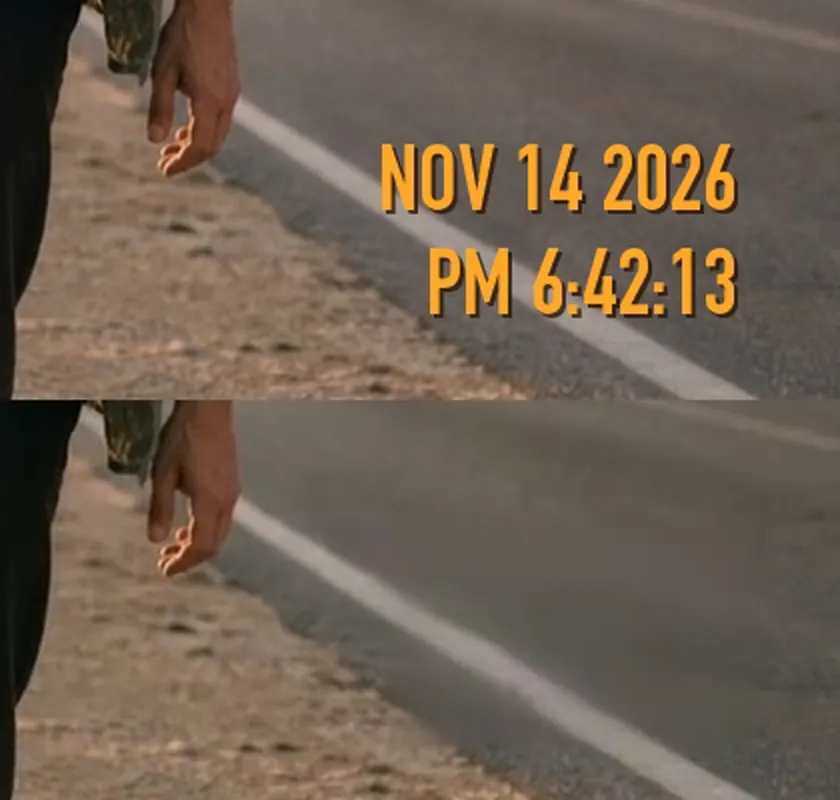
The corner at 3× zoom, before and after we remove timestamp from video.
CHECK THIS FIRST
Check this before you remove date and time from video with AI.
Nothing to upload
Turn the player’s on-screen display off, or export without it.
Not in the picture
That is metadata, not pixels. Edit it with a metadata tool.
Use this tool
If the date shows in every player and after export, it is burned in. Then you remove timestamp from video pixels here.
FROM SD CARD TO CLEAN CLIP
Use the file from the SD card or dashcam app, not a screen recording.
MP4 or MOV up to 3 minutes and 500 MB. We remove timestamp from video previews free for 10 seconds.
Pay to remove timestamp from video in full, about $6 to $7.50 a minute, and download an MP4 with sound.
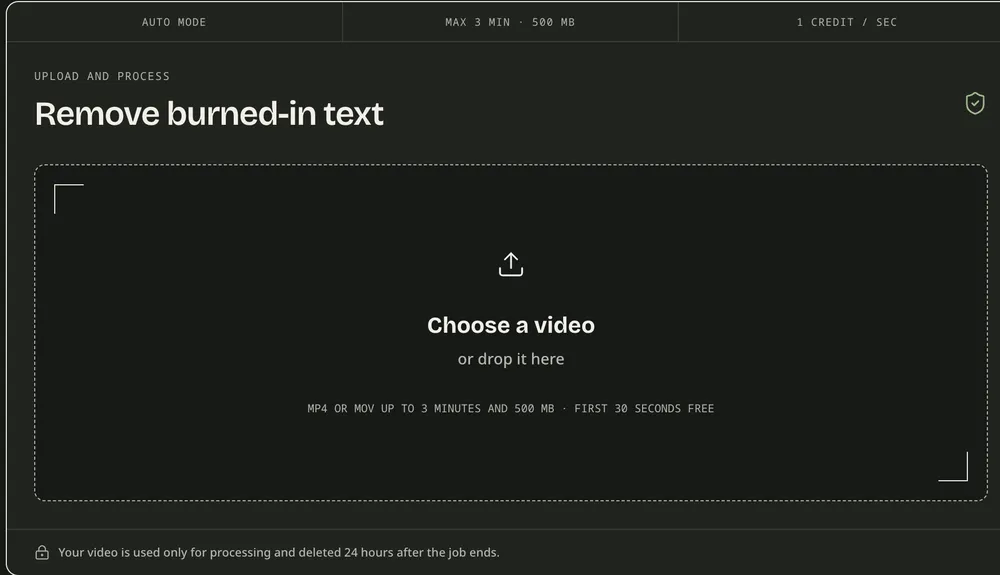
No brush and no box to draw. The tool finds the stamp itself, so you remove timestamp from video the same way for a camcorder corner or a dashcam strip.
WHAT COMES OFF AND WHAT STAYS
How cleanly you remove timestamp from video depends on what sits behind the digits.
Removed
In our test we could remove timestamp from video over asphalt cleanly. Paused up close, the patch is a bit smoother.
Check closely
In an earlier test a solid box partly stayed. Check the bar edges.
Left as is
A single line that tall is skipped on purpose. Camera stamps are far smaller.
Do not use
Keep the stamped original of crash or security footage and edit a copy.
Would cropping be enough? Compare methods in how to remove text from video.
Only have your phone? Use the app to remove text from video in your browser.
Titles and logos too? Go to the main remove text from video tool.
BEFORE YOU UPLOAD
Before you remove timestamp from video of an incident, save the untouched file for police or insurers.
Clips are stored privately and deleted 24 hours after the job ends.
The free preview has no watermark. It plays at 480p on the page; the paid result is full quality.
A 60-second clip uses 60 credits, shown before you confirm.
TIMESTAMP QUESTIONS
Digitize the tape or copy the file, then upload it. To remove timestamp from video like this, the tool finds the date in each frame and rebuilds the picture. Check the free preview first.
You can test it free: the first 10 seconds come back as a 480p preview with no watermark. To remove timestamp from video in full costs 1 credit per second, about $6 to $7.50 a minute.
The iPhone camera does not stamp dates, so the stamp came from a timestamp app or an edit. Turn that setting off, then open this page in Safari to remove timestamp from video you already saved.
No. We change the picture, not the capture date in the file details, which is metadata. The download is a new H.264 MP4.
Yes, if it is yours to edit. Keep the stamped original for insurers or police, and remove timestamp from video copies you share. Check dark bars in the preview.
That works. Each frame is checked on its own, so new digits are found as they appear. When we tried to remove timestamp from video with a running clock, every sampled frame came out clean.
TEST YOUR OWN FOOTAGE
Upload a clip, remove timestamp from video previews free for 10 seconds, and judge the corner yourself.